Search for a FUT autobuyer app and you'll find plenty of them: programs you download, install and sign into. We went the other way and built FC AutoBuyer as a Chrome extension. This page explains what that changes for you in practice, and where an app would still suit you better.
The short version
- An app works from outside the Web App. An extension works inside it. That is the whole difference, and everything below follows from it.
- Fewer steps means a faster buy. On the transfer market the tool that reaches Buy Now first gets the card. Everyone else gets "this item has been sold".
- You keep the controls. Hard spending limits, a review screen before every run, and a history of what each run actually did.
- There's nothing to hand over. No EA email, no password, no account relayed through somebody else's server.
- It is a one-off licence key from £7.99, against apps that usually want paying up front.
The step an app can't skip
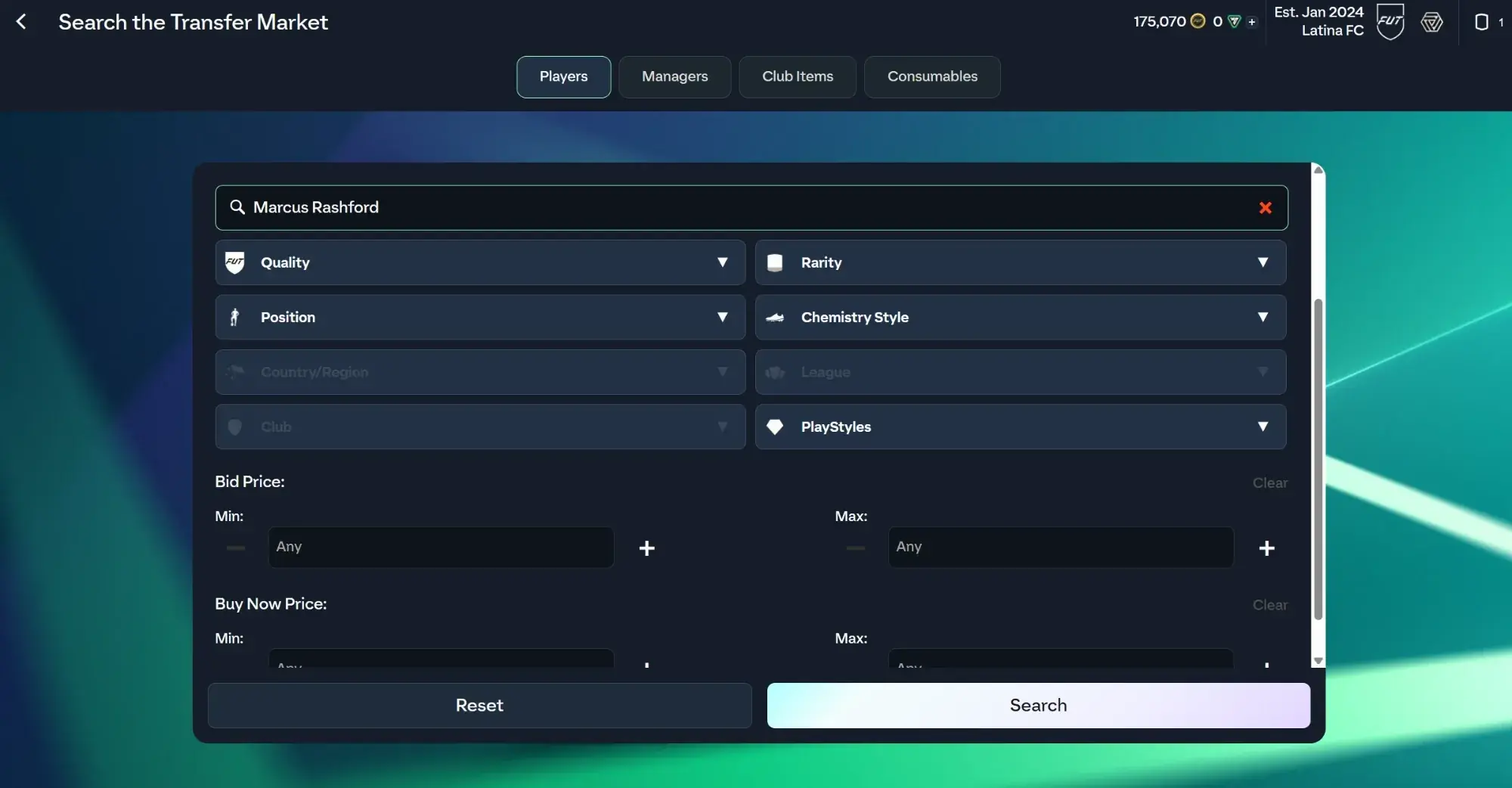
Every autobuyer does the same loop: search the market, compare the results against your price, buy what qualifies, repeat. The difference is where the tool sits when it does it.
An app sits outside your browser. To buy a card it has to reach the transfer market from the outside, which puts a step between deciding and buying. An extension is already on the page. It calls the same Web App functions your own clicks call, so the decision and the buy happen in the same place.
We're not going to put a number on that, because any number we made up would be worth nothing to you. The structural point is the honest one: fewer steps between the result and the buy. Our longer explainer on Chrome extension vs app autobuyers goes through how each design works if you want the detail.
You keep every control
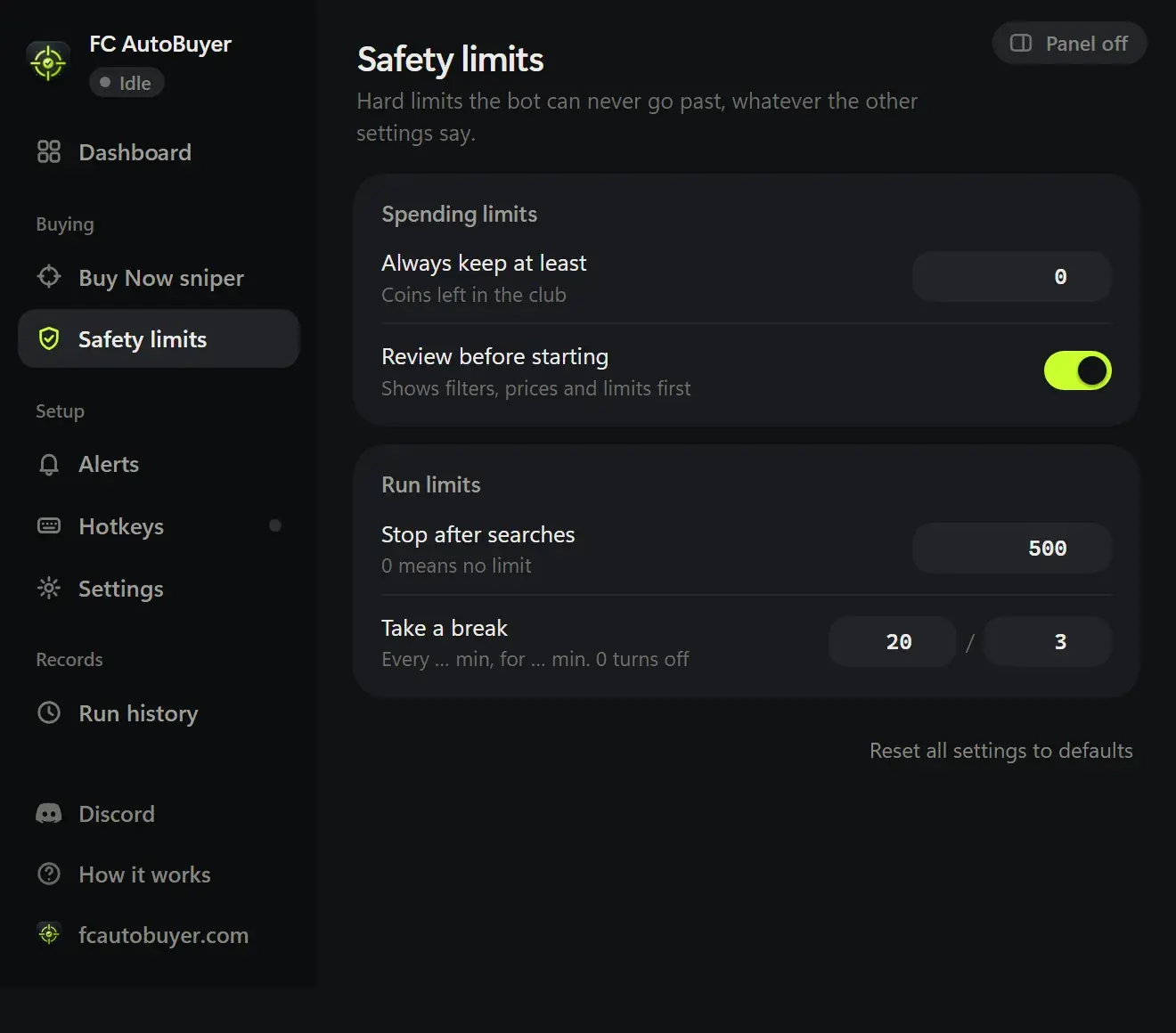
Speed is only worth having if the tool does what you told it to. FC AutoBuyer holds three hard limits and checks all three before every single buy, not just when a run starts:
- A max price per card, so it can never chase a card past your number.
- A budget for the whole run, so a long session can't quietly empty your club.
- A coins-to-keep limit it will not spend below, so you always keep something back.
Before a run starts, a review screen spells out in plain English what is about to happen: how many cards, which player, at what maximum price. If you turn on listing, it also refuses to start when your list prices wouldn't cover what you might pay after EA's 5% sale tax. You can read more on safety limits and auto listing.
Afterwards, run history shows which filters and speeds actually won cards, so the next run is better than the last.
Nothing leaves your browser
This is the part worth reading twice. FC AutoBuyer runs in the Ultimate Team Web App tab you have already signed into yourself. It never asks for your EA email, your password or your security answer, because it never needs them. There is no account of ours for you to link, and nothing of yours sitting on a server of ours.
Some apps work the same way. Others ask you to sign in through them. Whatever tool you end up choosing, app or extension, check exactly what it asks for before you give it anything, and if it wants your EA password, think very hard about why. Our guide on protecting your EA account covers the rest.
Where an app is genuinely better
Being straight about this saves you a download:
- Phones. Some apps run on a phone or a tablet. FC AutoBuyer needs Chrome on a desktop or laptop. If you want to snipe from your phone, an extension is the wrong shape.
- A browser you have to keep open. A run needs the Web App tab open in Chrome. Headless mode lets it carry on in a background tab while you use the rest of your browser, but the browser has to be running.
- EA's updates. When EA changes the Web App, an extension has to keep up. FC AutoBuyer includes a compatibility check that tells you when something has moved, rather than silently misbehaving. An app has the same problem from the other side.
- Chrome only, for now. No Edge, Firefox or Safari build yet. A standalone FC AutoBuyer app is coming.
What neither one changes
Using any third-party tool with EA SPORTS FC breaks EA's terms, whether it is an app or an extension, and either way it can lead to account restrictions. Being faster does not make it safer. Anyone telling you their tool carries no risk is selling you something.
What you can do is give EA less to notice: sensible pacing, breaks, and stopping the moment something looks wrong. FC AutoBuyer randomises its delays, takes automatic breaks and stops itself on a captcha, a soft ban, an expired session or low coins. Read how to avoid a ban using an autobuyer and the transfer market soft ban explained before your first run.
Autobuyer app vs Chrome extension: side by side
The right-hand column is FC AutoBuyer specifically. Apps differ from one another, so check any individual tool against its own website.
| What you're weighing up | A downloadable app | FC AutoBuyer (extension) |
|---|---|---|
| What you install | A program on your computer | A Chrome extension, nothing else |
| Where the buy happens | From outside the Web App | Inside the Web App tab itself |
| Your EA login | Depends on the tool: check before you sign in | Never asked for. It uses the tab you signed into |
| Max price per card | Varies by tool | Yes, checked before every buy |
| Run budget and coins-to-keep limit | Varies by tool | Yes, both, checked before every buy |
| Review before a run starts | Varies by tool | Yes, in plain English |
| Auto listing with a loss check | Varies by tool | Yes. It won't start if your prices can't cover the 5% tax |
| Alerts | Varies by tool | Discord or custom webhooks, desktop notifications, sounds |
| Run history | Varies by tool | Yes, with stats per run |
| Devices | Sometimes phones and tablets | Chrome on a desktop or laptop |
| Price | Usually paid up front | From £7.99 |
| EA terms of service | Breaks them | Breaks them |
Still shopping around? Our checklist for the best EA FC autobuyer covers what to look for, and FC AutoBuyer vs ShortFUT compares us with another extension.
Written 20 September 2026. FC AutoBuyer is an independent product and isn't affiliated with any tool named on this site.