Filters & rotation

Save a search. Reuse it forever.

The bot uses the search you set in the Web App. Save the good ones, switch them on and off, and let it take turns between them.

Search. Save. Rotate. In that order.

Nothing new to learn: it is the Web App's own filter, kept for later.

Search as usual

Set the filter in the Web App and press Search once. That search is what the bot copies, price boxes and all.

Save it

One button stores the filter with a readable name, like "Marcus Rashford · gold · BIN ≤ 12,000", so you know what you are switching on later.

Rotate

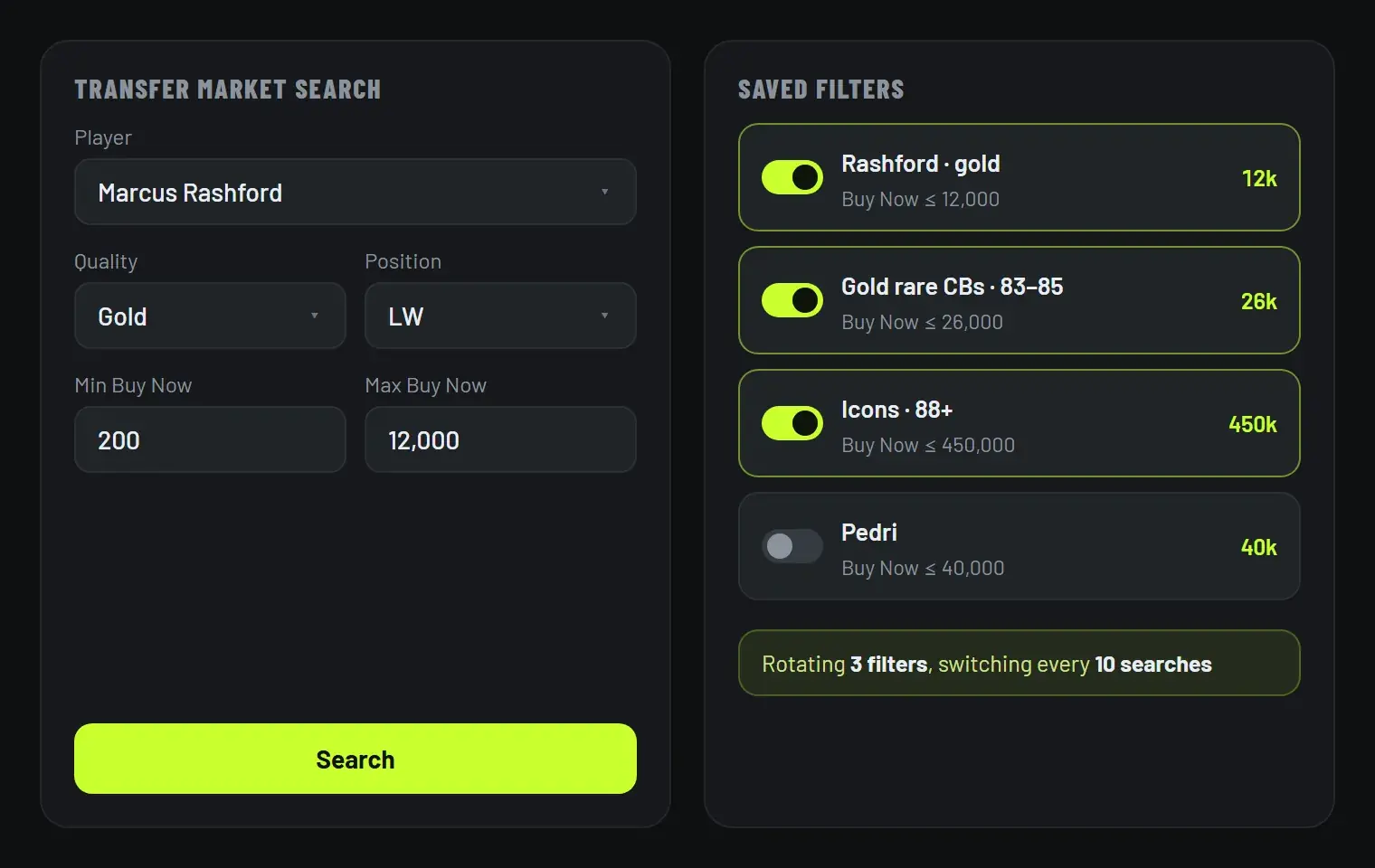
Switch on two or more and it changes filter every few searches, covering more of the market and repeating itself less.

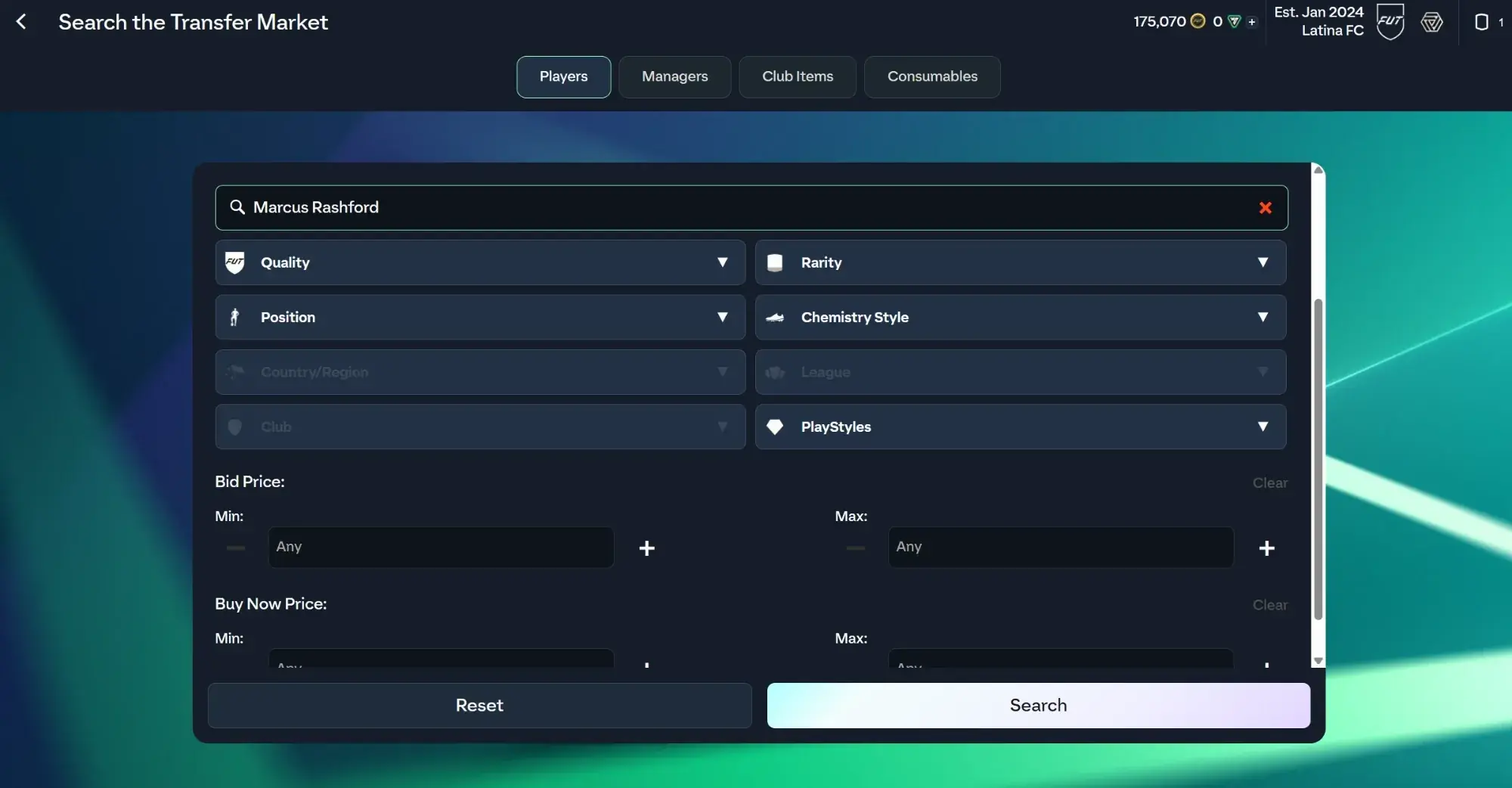
The EA FC Ultimate Team Web App transfer market search, with Marcus Rashford typed in and the quality, position and price filters below

Your search

The filter you already set.

Search the market the way you always do. Press Search once and that exact filter is the one the bot uses, price boxes and all.

  • Player, quality, position, rarity, chemistry style, league
  • Bid and Buy Now price ranges
  • Nothing new to learn and nothing to copy across
  • Change it mid-session and press Search again
How the sniping works →

Saved

Your searches. Ready to go.

Saved filters sit on the Buy Now sniper page with a switch each.

  • Each filter keeps its own max Buy Now price
  • Your per-card limit still applies on top
  • Rotate every few searches, or run one filter alone
  • A warning when a filter is too wide to be useful
Guide: the filter settings that work →
A transfer market search for Marcus Rashford beside a list of saved filters, three switched on and rotating every ten searches

Narrow filters win more cards

The instinct is to search widely: any gold, any rare, under a price. It feels like more chances. In practice it is fewer, because the market returns cards ending soonest first, and a filter that fills a whole page buries the listing that went up ten seconds ago behind twenty older ones. FC AutoBuyer warns you when a filter is doing this.

A filter that returns a handful of cards is the one that snipes. One player, or one card type with a tight price band, means anything new appears where the bot can see it. That is also why rotation helps: several narrow filters cover more ground than one wide one, without any of them going blind.

Pricing the filter

Your max Buy Now price decides what counts as a bargain, so it needs to sit under what the card actually sells for, not at it. Check the going rate with our guide to price checking players, then work backwards from your resale price with the EA tax calculator, remembering EA takes 5% of every sale.

Filters and the rest of the run

A filter decides what it buys. What happens next is up to you: leave cards in Unassigned, or have them listed automatically at a price that cannot lose coins. The auto buying page covers how the searching and buying itself works.

More of what it does

Every part of FC AutoBuyer, explained on its own page.

Auto buy players

Set a filter and a price; it buys matching cards the moment they list.

Auto buy players →

Auto list players

Every card it buys goes straight back up, and never below what it paid.

Auto list players →

Safety limits

Hard spending limits, pacing and an auto-stop on trouble.

Safety limits →

Run history

Every run recorded: speed, buys, misses and why it stopped.

Run history →

Common questions

It reads the search you run in the Web App. Set up the search as you normally would and press Search once: that exact filter, including the price boxes, is what the bot uses.

Instead of searching one filter over and over, the bot takes turns across the filters you have saved and switched on, changing every few searches. It covers more of the market and looks less repetitive.

As many as you like. Each one is stored on your own computer with the name it was given when you saved it, and you can switch any of them on or off for a run.

Yes. A saved filter keeps its own max Buy Now price, and your overall max price per card still applies on top, so nothing can go past the limit you set on the Dashboard.

One that returns few enough cards to see new listings, on a player or card type that actually sells. A filter that fills a whole page of results is too wide, and the extension warns you when that happens.