Buy Now sniping

Auto buy players. While you do something else.

Set a filter and a price. FC AutoBuyer searches the transfer market for you and buys the moment a card lists under your price.

Three steps. That's it.

Set it up once in the Web App and press Start.

1. Set your filter

Search for what you want in the Ultimate Team Web App: a player, a rarity, a position. The extension reads the filter you already set, so there is nothing new to learn. Our guide to filter settings covers the ones that work.

2. Set your prices

Give it a max Buy Now price and a max price per card it can never pass. Use the EA tax calculator to check the price you can resell at once EA has taken its 5%.

3. Press Start

It searches, buys what fits, and shows every search and every card in a live panel. Everything it buys can be listed automatically.

Control

Your filters. Your limits.

Every price and limit is yours, and the bot checks them before it spends a single coin.

  • Max price per card, run budget and a coins-to-keep limit
  • Ratings to skip, so you don't buy the wrong card
  • Saved filters it can rotate between
  • Stops if far too many cards match your price
See every feature →
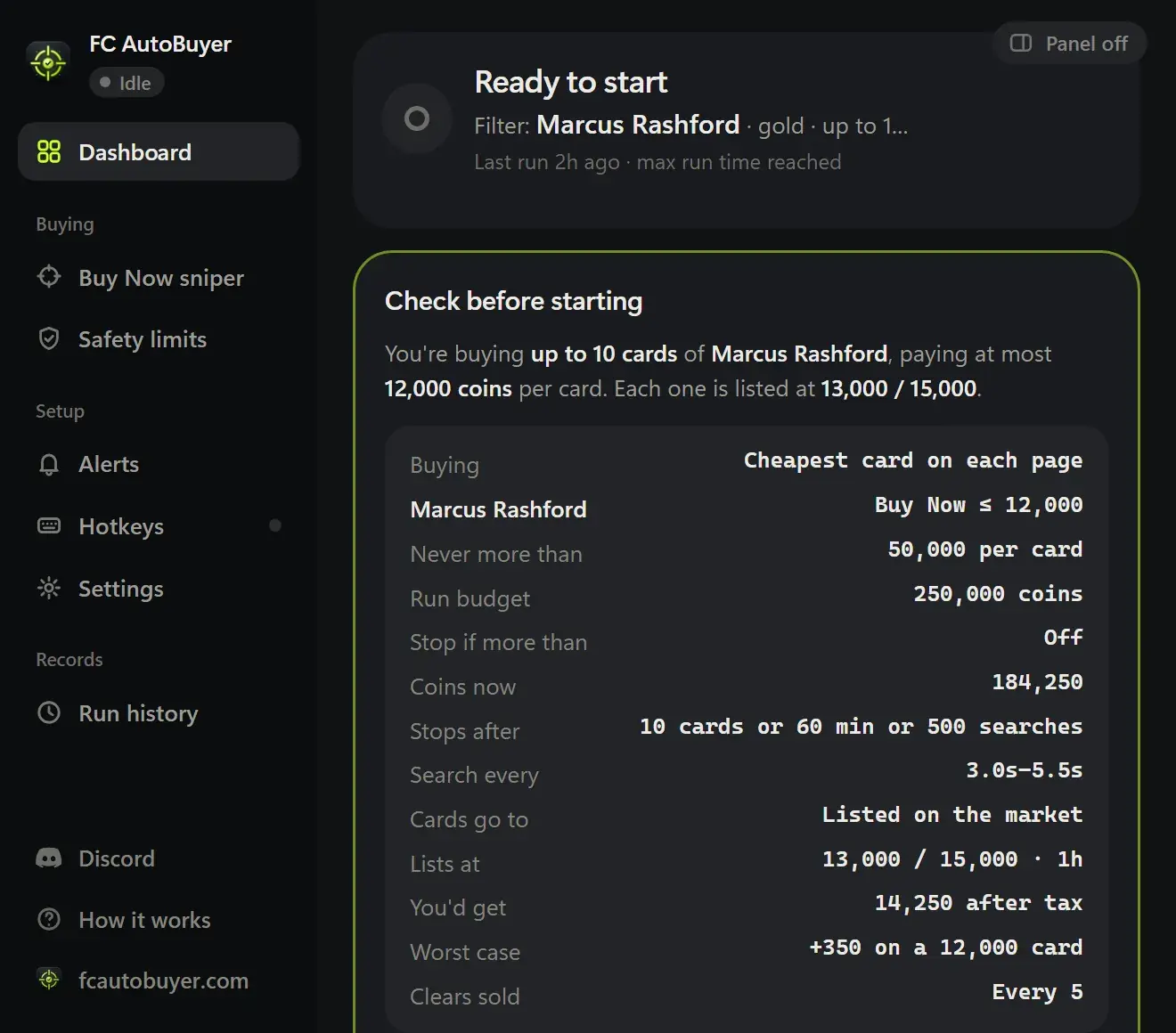
The check before starting: buying up to 10 cards of Marcus Rashford at no more than 12,000 coins each, with every limit listed
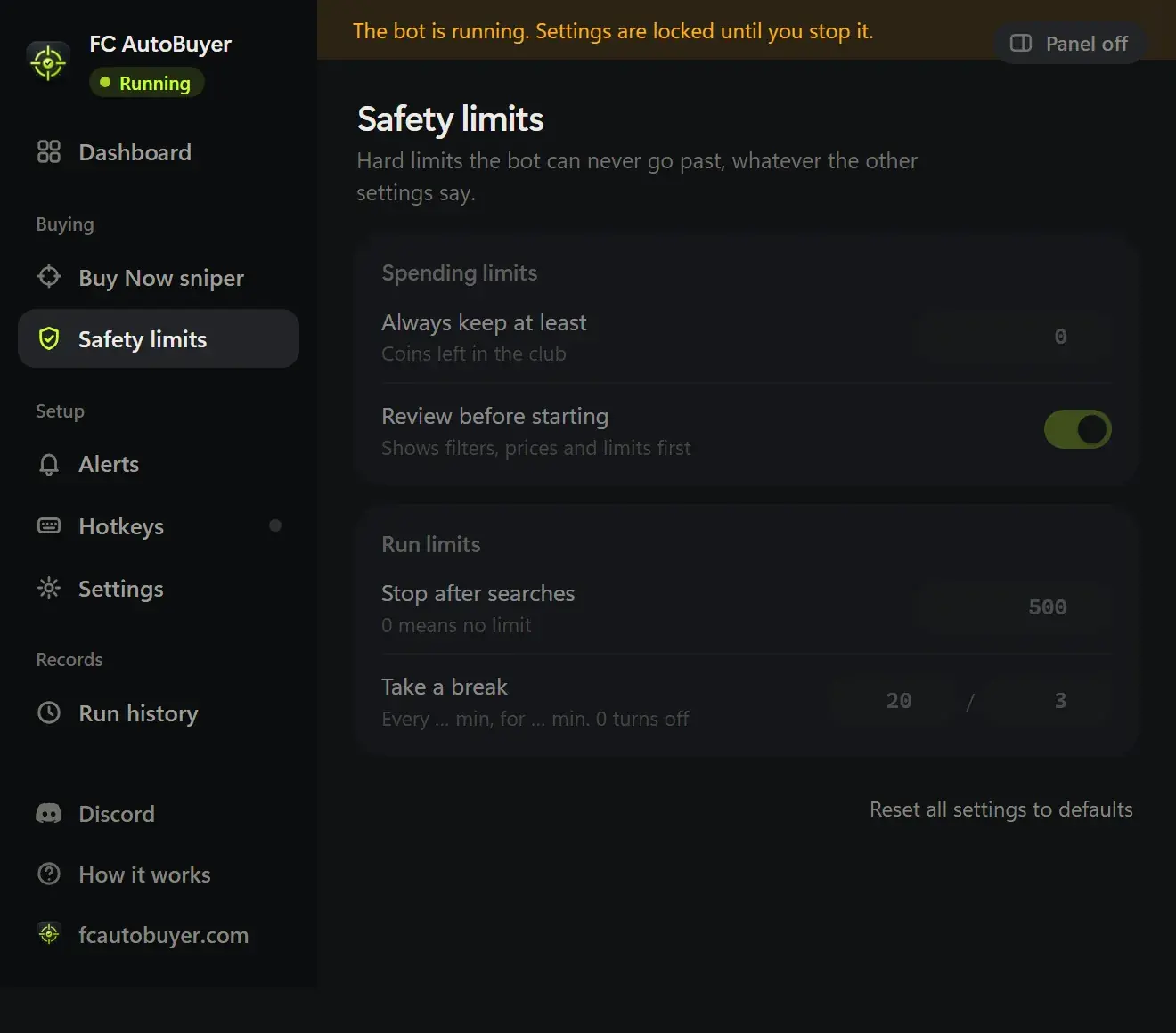
FC AutoBuyer safety settings with spending limits, search speed presets and scheduled breaks

Safety

Paced like a person.

Sniping quickly is what wins cards. Sniping carelessly is what gets accounts flagged.

  • Randomised delays between searches, with speed presets
  • Scheduled breaks and hard run limits
  • Stops itself on a captcha, soft ban or expired session
  • Every run recorded, so you can see what happened
What a soft ban is, and how to avoid one →

In action

Watch it work. Or don't.

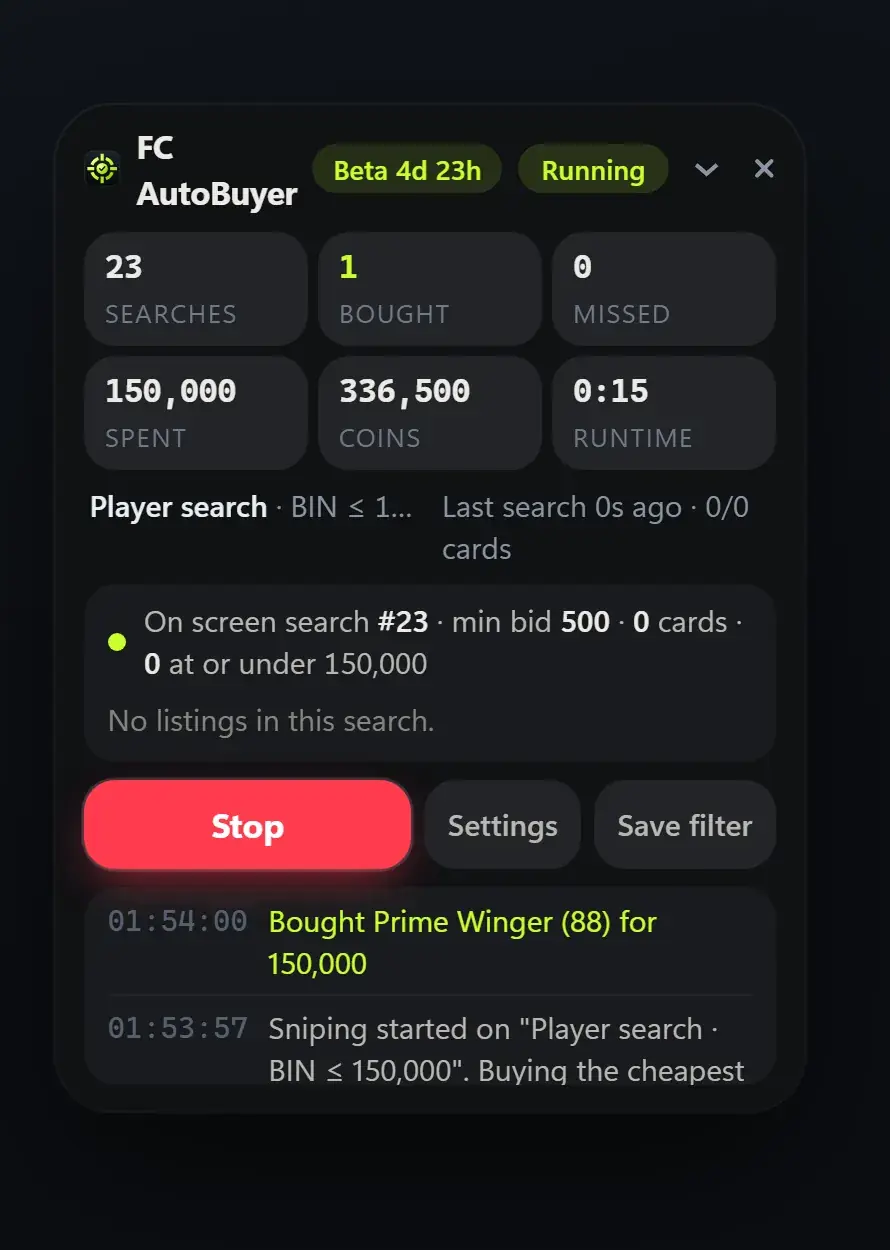
A panel sits on the Web App with everything the run is doing. Searches, coins, what it bought and what it passed on.

  • Every search logged with the price it used
  • Cards bought and missed as they happen
  • Start and stop without leaving the market
  • Drag it anywhere, or hide it completely
Every run is recorded too →
The FC AutoBuyer panel mid-run on the EA FC Web App, showing searches, coins spent, the live search log and a card it just bought

How auto buying works

An autobuyer does what you would do by hand, without the waiting. It runs the same transfer market search over and over, looks at the prices that come back, and buys anything listed at or under the price you set. The difference is that it never blinks: a card listed 50,000 coins below the going rate is usually gone in seconds, and that is the whole game.

FC AutoBuyer is a Chrome extension, so it works inside the Web App you already use. There is no separate app relaying your buy, which is the slow step in app-based tools. If you want the longer version, we have written up how an autobuyer actually works and why a Chrome extension is quicker than an app.

Sniping or bidding?

FC AutoBuyer only buys at Buy Now. Bidding means waiting on auctions you can lose at the last second, while a Buy Now snipe is instant and predictable. We compare the two in sniping vs bidding.

What it costs

£7.99 for one month, or £29.99 until EA FC 27 ends: every feature is included in both. See pricing for what a key costs, or get your licence key now.

Cards it's caught.

A filter, a price, and the patience to keep looking. These went for well under the going rate.

82LWRashford 82 LW card sniped by FC AutoBuyer

Rashford

Gold rare · Man Utd

Bought
24,000coins
Sold
31,000coins

+5,450

81CBVan de Ven 81 CB card sniped by FC AutoBuyer

Van de Ven

Gold rare · Tottenham

Bought
48,000coins
Sold
62,000coins

+10,900

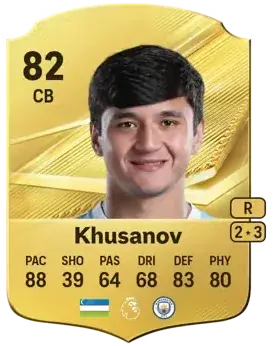
82CBKhusanov 82 CB card sniped by FC AutoBuyer

Khusanov

Gold rare · Man City

Bought
31,000coins
Sold
41,000coins

+7,950

Prices are examples from the first weeks of EA FC 27, after EA's 5% tax. What you make depends on the market and your filters.

More of what it does

Every part of FC AutoBuyer, explained on its own page.

Auto list players

Every card it buys goes straight back up, and never below what it paid.

Auto list players →

Safety limits

Hard spending limits, pacing and an auto-stop on trouble.

Safety limits →

Run history

Every run recorded: speed, buys, misses and why it stopped.

Run history →

Common questions

It buys as soon as a card that matches your filter shows up under your price, with a short randomised delay before the buy so it does not look robotic. Because it runs inside the Web App in Chrome there is no separate app in the middle adding delay.

No. You set a max price per card, a budget for the run and a number of coins to keep back. All three are checked immediately before every buy, and the prices lock while a run is going.

The Web App's own transfer market filters, so anything you can search for by hand: a player, a rarity, a position, a price range. You can also skip certain ratings, save filters and rotate between them.

Using any autobuyer goes against EA's terms for Ultimate Team and carries a risk of a transfer market ban or an account ban. Randomised delays, breaks and run limits reduce the chance of being flagged, but nothing removes the risk.

Yes, indirectly. It runs in Chrome on a computer with the Ultimate Team Web App open, and the cards it buys land in the same club you play with on any platform.