Key takeaways
- An autobuyer runs a loop: search the transfer market, read the results, buy anything that fits your rules, wait, repeat.
- Your filter and your Max Buy Now price decide what it buys. The bot only automates the clicking, not the judgement.
- Good autobuyers check hard spending limits before every single purchase and stop themselves on captchas, soft bans or errors.
- Randomised delays and scheduled breaks make runs look less mechanical, but no setting makes an autobuyer risk-free.
If you have ever refreshed the transfer market for twenty minutes hoping a cheap card would appear, you already understand the job. So how does an autobuyer work? It does that same search-and-refresh routine for you, inside the rules you set, and reacts faster than a thumb on a mouse can.
This guide walks through the loop behind an EA FC autobuyer in plain terms: what happens on each search, how the bot decides whether to buy, why it waits between searches, and which safety checks matter. We use FC AutoBuyer as the worked example because we know exactly how it behaves, but the principles apply to any autobuyer for Ultimate Team.
What an autobuyer actually is
An autobuyer is a piece of software that automates buying on the Ultimate Team transfer market. Most players search for it under a few names. EA's football series was called FIFA until 2023, when FIFA Ultimate Team became EA SPORTS FC Ultimate Team, so plenty of people still type “FIFA autobuyer” or “FUT autobuyer”. If that is how you found us, our FIFA autobuyer page covers the rename and what changed. You can read more about the history of the mode on Wikipedia's FIFA Ultimate Team article.
Whatever you call it, the tool does one narrow thing. It watches the market for listings that match a description you give it, and it tries to buy them before anyone else does. It doesn't pick players for you, predict prices or guarantee a profit. It is a very quick, very patient pair of hands.
There are two broad ways to buy on the market. You can place a bid and wait for the auction to end, or you can hit Buy Now and own the card instantly. FC AutoBuyer is a Buy Now sniper: it is focused on buying cards outright at or under the price you choose. If you are weighing the two approaches, our guide to sniping vs bidding explains the trade-offs.
The search and buy loop, step by step
Strip away the dashboards and every autobuyer is a loop. Here is what one pass looks like in FC AutoBuyer.
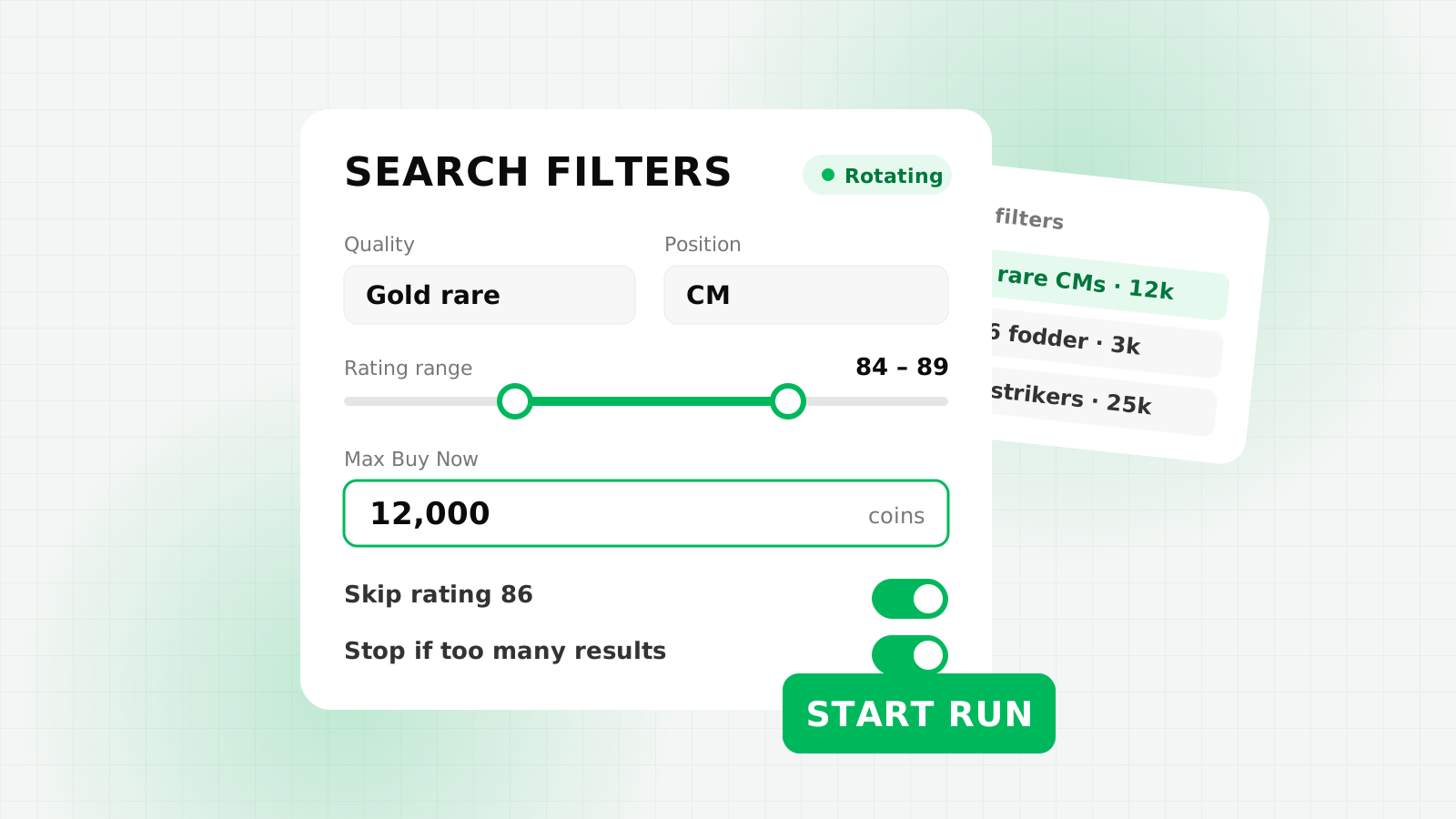
- Load the filter. The bot uses the transfer market search you set up in the Web App: quality, rarity, position, league, nation, club and a Max Buy Now price. You can also add a rating range and a list of ratings to skip.
- Run the search. It submits the search exactly as the Search button would.
- Read the results page. Every listing comes back with its Buy Now price, rating and other details.
- Decide. Depending on your buy mode, it either targets anything at or under your Max Buy Now price, or only the cheapest card on each results page, up to your per-card limit.
- Check the limits. Before pressing Buy Now, it confirms the price is within your per-card limit, that the purchase fits your run budget and that your balance won't fall below your coins-to-keep limit.
- Buy. After a short buy delay, it presses Buy Now and records whether the purchase went through or someone else got there first.
- Send the card somewhere. A bought card goes to your unassigned pile, your transfer list or your club, whichever you picked.
- Wait, then go again. It pauses for a randomised search delay and starts the next pass.
Because all of this happens in seconds, the filter is where the real skill sits. A loose filter with a generous price will buy cards you didn't want; a tight one with a realistic price buys the bargains you were hunting. Our guide to autobuyer filter settings goes deeper, and before you type a Max Buy Now it pays to price check players properly.
Why speed decides who gets the card
An underpriced listing is visible to everyone searching the same filter at that moment. Whoever confirms Buy Now first wins; everyone else sees a message that the item is no longer available. That is why the gap between “result appears” and “Buy Now pressed” matters so much, and why where the autobuyer runs, which we cover below, makes a difference.
Fresh results, pacing and breaks
Two practical problems come up once a bot starts searching on repeat.
Stale results. If you send the same search over and over, you can end up looking at results you have already seen. FC AutoBuyer handles this with a price walk: it nudges a minimum price field up a step at a time and back down again, so each search is slightly different and brings back fresh listings without changing what you are actually targeting.
Pacing. Searching as fast as possible is the quickest way to attract attention from EA. A sensible autobuyer waits between searches, and randomises that wait so the rhythm isn't perfectly regular. FC AutoBuyer's default search delay is a random gap of 3 to 5.5 seconds, with speed presets if you want to change it. If you pick delays under 2.5 seconds, it warns you and offers to slow down or cap runs at 15 minutes.
On top of that come scheduled breaks, for example a 3-minute pause every 20 minutes, and run limits on total minutes, searches and purchases. None of these features are about buying more. They exist to make runs shorter, calmer and easier to control. If you want to understand what EA does when it spots heavy searching, read our explainer on the transfer market soft ban.
Spending limits and stop rules
An autobuyer that can press Buy Now can also spend your whole balance on the wrong card if something goes wrong. A mistyped price, a filter that matches more than you expected or a sudden market crash can all turn a quiet run into an expensive one. That is why the limits matter as much as the buying logic.
In FC AutoBuyer, these checks run before every buy, not just when you press Start:
- Per-card limit: the most it will ever pay for one card. It also refuses to start if your filter allows prices above this limit.
- Run budget: the total coins a single run is allowed to spend.
- Coins to keep: a balance your coins must never drop below.
- Too-many-results stop: if one search shows more cards at or under your price than you allow, the bot stops, because that usually means the price is set too high.
Before a run begins, a review screen shows your filter, prices and limits and needs a second click. Once it is running, prices and limits are locked, so you can't accidentally change them mid-run.
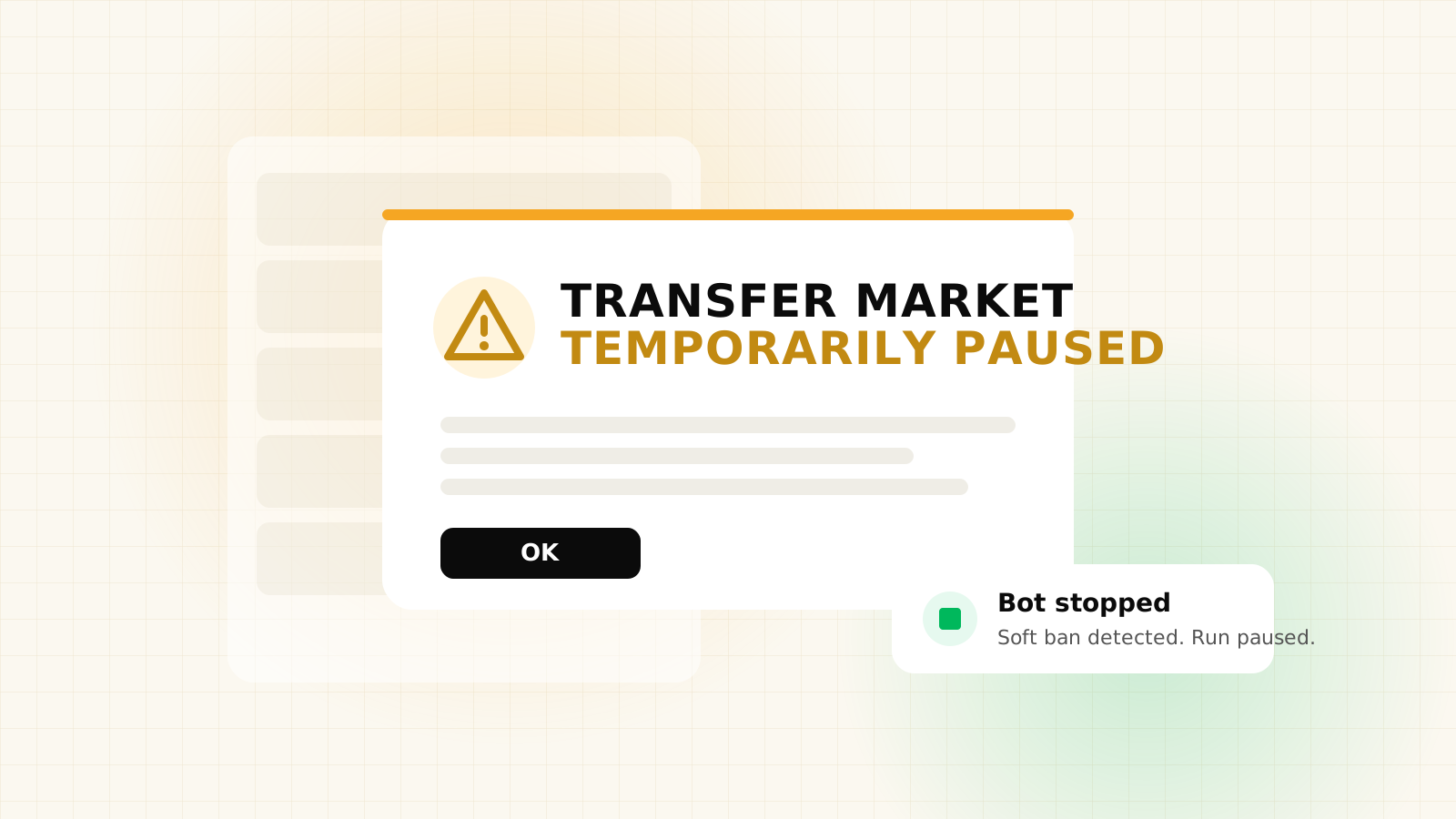
The bot also stops by itself when it hits a captcha, a soft ban, an expired session, not enough coins, too many errors in a row or any of the limits above. You can get a sound, a desktop notification or a Discord or custom webhook message when that happens, so you're not left wondering why the activity went quiet.
Where an EA FC autobuyer runs
An autobuyer has to live somewhere, and that choice shapes how it behaves. FC AutoBuyer is a Chrome extension that runs inside the Ultimate Team Web App itself, in your desktop browser. It works through the Web App's own search, results and Buy Now functions rather than sitting outside it.
Because it runs where the transfer market already is, it doesn't have to reach in from outside, which is why we describe it as faster than app-based autobuyers. We break down that difference, along with the downsides of each approach, in Chrome extension vs app autobuyers. A standalone FC AutoBuyer app is coming soon, but today the product is the Chrome extension.
A few practical consequences of running in the browser:
- You need Chrome on a desktop computer, with the Web App open and logged in.
- Headless mode hides the floating panel and keeps the bot running in a background tab.
- When EA updates the Web App, a built-in compatibility check tells you whether every function the bot relies on still works.
What an autobuyer can't do for you
It is easy to imagine an autobuyer as a money printer. It isn't. It buys what you tell it to buy at the price you tell it, and that's all.
- It can't tell you whether a price is actually a bargain. That research is yours.
- It doesn't sell. FC AutoBuyer is focused on buying, so listing cards and accounting for EA's 5% sales tax, which our EA tax calculator works out, is still your job.
- It won't win every card. Other players and tools are searching the same market.
- It can't protect you from market swings. A card that looked cheap on Thursday can be cheaper on Saturday.
- It can't make automation acceptable under EA's rules.
Used well, an autobuyer takes the repetitive part of trading off your hands while you keep the decisions. Set a filter you understand, a price you have checked and limits you would be comfortable losing, then let the loop do the tedious work.
FAQs
It repeats a transfer market search for you, checks each result against your Max Buy Now price and spending limits, and presses Buy Now when a card qualifies. Then it waits a randomised delay and searches again until a limit or stop rule ends the run.
Some tools try to, but FC AutoBuyer is focused on buying. It is a Buy Now sniper, so listing and selling the cards you buy is up to you.
Yes. FIFA Ultimate Team became EA SPORTS FC Ultimate Team in 2023, so a FIFA or FUT autobuyer and an EA FC autobuyer do the same job on the same transfer market.
Yes. Using third-party tools can lead to a transfer market restriction or an account ban. Delays, breaks and limits reduce the risk but cannot remove it.