Key takeaways
- The most common cause is not the bot missing cards. It is that your per-card price limit is lower than the card costs, so the search never asks for it in the first place.
- A run with lots of searches and zero results seen is a filter or price problem. A run with results seen and nothing bought is a speed or limit problem.
- Your run history tells you which of those two you have, so check it before you change any settings.
- Changing five settings at once is how people stay stuck. Change one, run 50 searches, look again.
You set a filter, pressed Start, watched the search counter climb into the hundreds, and nothing happened. No cards bought, and depending on the run, maybe no cards even seen. It is the most common message we get, and in almost every case it is one of six things, none of which mean the autobuyer is broken.
The fastest way to narrow it down is to look at one number first: has it seen any cards at all? Open your run history. If the bot has run hundreds of searches and seen zero results, the problem is what you are asking for. If it has seen plenty of cards but bought none, the problem is what happens after it sees them. Those are two completely different faults and the fixes have nothing in common.
1. Your per-card limit is capping the search itself
This is the big one, and it catches almost everybody, because the symptom looks nothing like the cause.
Most autobuyers, ours included, send your maximum price to the transfer market as part of the search. That is deliberate: it stops the results page filling up with cards you were never going to buy. But it means your per-card limit is not a filter applied after the results come back. It is part of the question being asked.
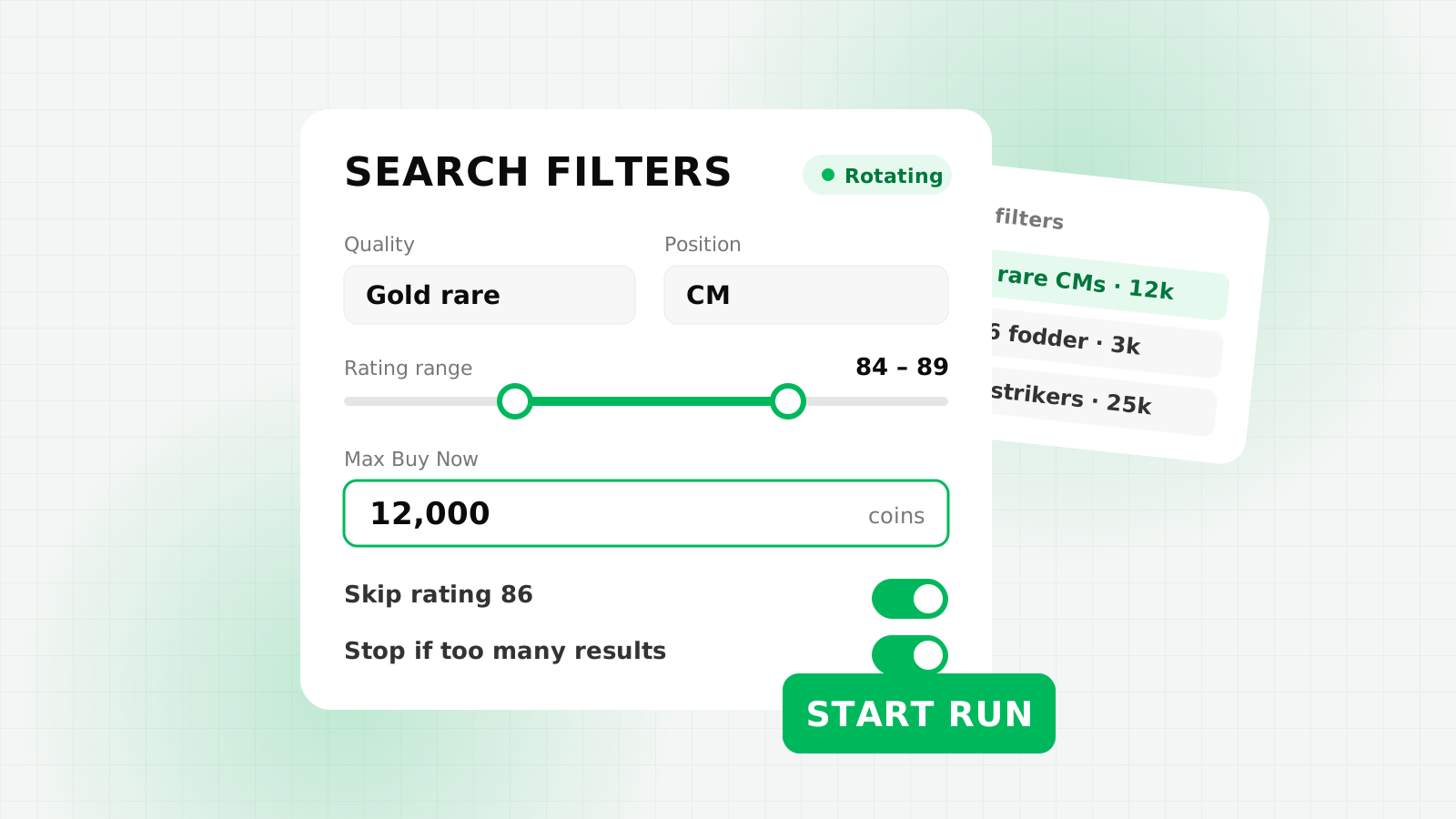
So if you set a filter for a player who costs 95,000 coins, but your "never pay more than" limit is still sitting at its default of 50,000, the search that actually goes out asks the market for that player at 50,000 or less. The market has none at that price. It returns nothing. Not "nothing cheap enough" — literally nothing, over and over, for as long as you let it run.
We tested exactly this scenario against a simulated market: a card genuinely available at 95,000, a search limit of 50,000, and a thousand searches. The result was 1,003 searches, zero cards seen, zero buy attempts. The bot behaved perfectly. It was asking a question with no answer.
How to spot it: hundreds of searches, zero results seen, no errors anywhere. Everything looks healthy and nothing happens.
The fix: raise your per-card limit above what the card actually costs, then re-check the price on the market first so you are not guessing. Our EA tax calculator will work back from a target sale price if you are buying to resell.
2. The filter is returning nothing
Less subtle, but worth ruling out second. A filter can come back empty because the player is genuinely extinct, because you have stacked so many criteria that nothing satisfies all of them, or because you saved the filter with a quality or position set that you have since forgotten about.
The quickest test takes ten seconds and does not involve the bot at all: run the same search by hand in the Web App. If you get no results manually, the bot was never going to find any either, and no amount of settings changes will help.
The fix: widen it. Drop the least important criterion, search again by hand, and keep dropping until results appear. Then put the bot back on that filter. If you are chasing a player who is genuinely extinct, sniping extinct players needs a different approach entirely.
3. It sees the card but someone else gets there first
If your history shows cards seen and cards missed, congratulations: your filter and your price are right. You are now in an actual race, and losing some of it is normal.
Every trader chasing the same bargain is refreshing the same page. On a popular card at a popular price, the listing can be gone in under a second. Missing cards is not a fault, and a run that misses some and wins some is a run that is working.
When it is worth acting: if you are missing nearly everything you see. That usually means your search gap is too long, so you are arriving at the results a beat after everyone else. It can also mean the card is simply too contested at that price.
The fix: shorten the gap between searches a little, or pick a slightly less obvious target. Do not go straight to the fastest possible setting, though. Hammering the market gets you rate limited, and a rate limited bot is slower than a sensible one. Our filter settings guide has sane starting points.
4. A limit you set has already stopped it
Safety limits exist so a bad run cannot empty your club, and they do their job quietly. That is usually good, and occasionally confusing, because a bot that has hit a limit looks identical to a bot that cannot find anything.
The usual culprits are a run budget that is smaller than a single card costs, a coins-to-keep limit sitting above your current balance, a maximum-purchases count you already reached earlier in the session, or a run-minutes cap that ended the run while you were looking at something else.
The run budget one is worth calling out. If your budget for the whole run is 40,000 and the card you are chasing costs 95,000, the bot can never legitimately buy anything, because a single purchase would breach a limit you set. FC AutoBuyer now refuses to start in that situation and tells you why, rather than running silently forever — but if you are on an older build or a different tool, check it by hand.
The fix: read the stop reason in your run history. It will name the limit. Raise it, or set it to zero to turn it off if you genuinely do not want that ceiling.
5. The session, a captcha or a soft ban
Three separate problems that all end with the same outcome, and all of which are about the Web App rather than the bot.
An expired session. EA logs you out after a period, and once it does, every search fails. A good autobuyer notices and stops rather than sitting there failing. Log back in and start again.
A captcha. EA will occasionally put one in front of you. Nothing can proceed until a human solves it, and nothing should try to. Solve it yourself and restart the run.
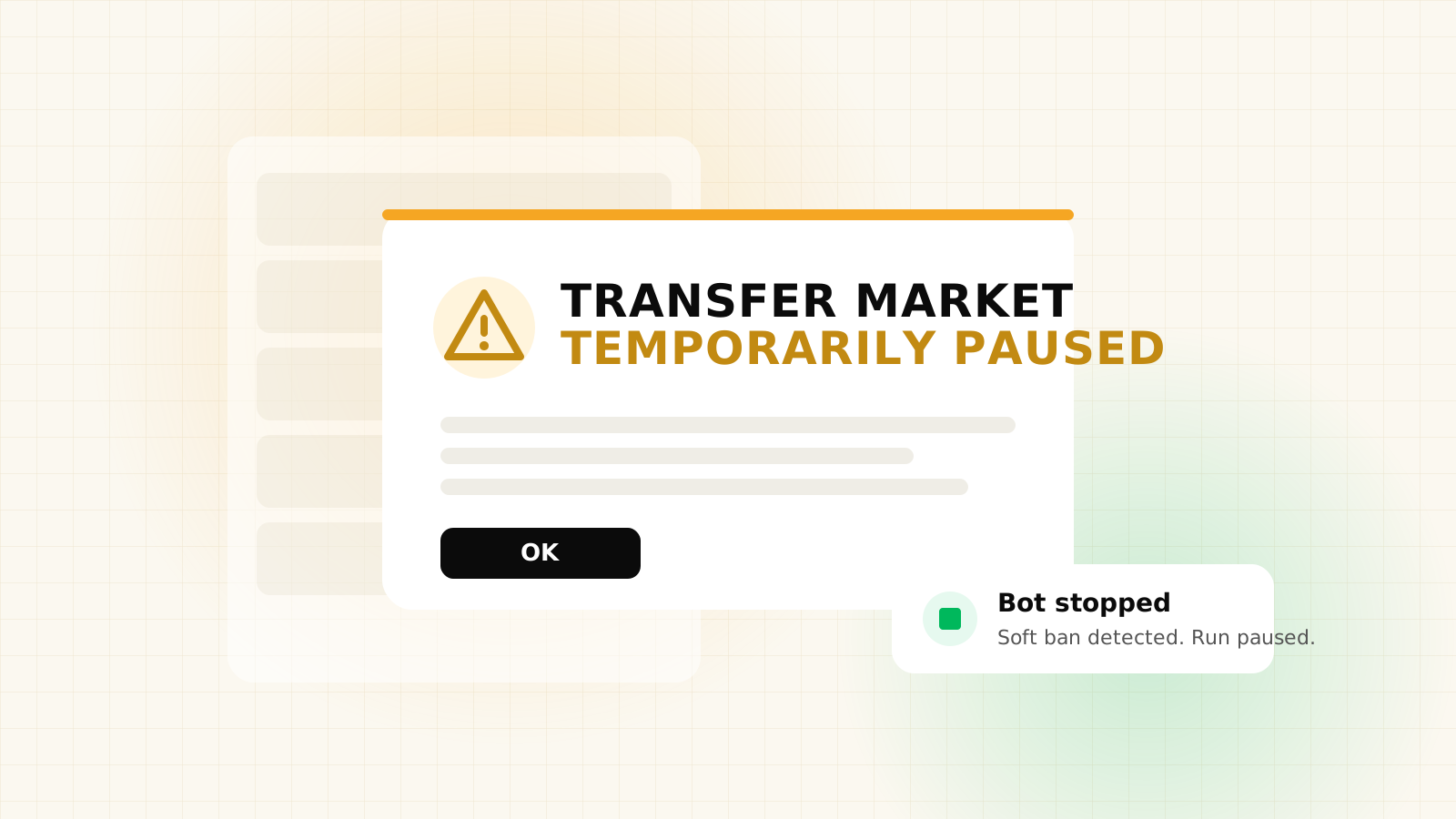
A soft ban. If you have been searching hard, EA may temporarily block transfer market access. This is the one to take seriously, because pushing through it makes it worse. Stop, wait it out, and read what a soft ban actually is before you start again — then run slower when you do.
6. Nothing is actually underpriced right now
The least satisfying answer, and sometimes the true one. Sniping depends on someone listing a card below what it is worth. If nobody is doing that on your target, there is nothing to win, and the bot will correctly do nothing for as long as that stays true.
Market conditions move this a lot. Late at night, during a promo drop, or right after a big content release, listings behave completely differently. Our guide to when to buy and sell covers the rhythms worth knowing.
Before you conclude this is your problem, price check the card properly. "It should be about 30k" is how people end up hunting a bargain that does not exist. Check it properly first.
The settings that block a buy without telling you
Beyond the per-card limit, a handful of settings can stop a purchase in a way that leaves no obvious trace. None of them are faults. They are all things you turned on and then forgot about.
A rating on your skip list. If you have told the bot never to buy 84s, and the card you are now chasing is an 84, it will find it, look at it and walk away every single time. Worth checking first because it produces the most baffling version of this problem: cards seen, price fine, nothing bought.
Filter rotation diluting your searches. If you are rotating three filters and only one of them is the card you actually want, you are searching for it a third of the time. Two hundred searches becomes sixty-six on your target. That is not broken, but it is a lot slower than it looks, and on a contested card it is the difference between winning one and winning none.
A scheduled break. Breaks are there to stop runs looking mechanical, and a bot mid-break is doing nothing on purpose. If you glance at it during one, it looks stuck.
The stop-on-too-many-results rule. If one search comes back with more cards at or under your price than the limit you set, the run stops. That rule exists because a page full of cheap results usually means the market moved or your price is far too high for the card, and buying blind into that is how people lose coins fast. But it does end the run, so check whether that is what happened.
Which card it goes for. Taking the cheapest card on the page wins you the most coins per buy, but it is also the one every other sniper is going for. Switching to the first listed card wins fewer coins per card and more of the races. If you are consistently second on a busy card, that swap is worth trying before you touch your search speed.
Sometimes it is the hour, not the settings
The market is not equally busy all day, and an hour of nothing at 4am says very little about your setup.
When listings are plentiful. Anything that puts cards in people's hands puts cards on the market shortly after. Squad Building Challenge releases, promo drops, and the weekly rewards that land on Thursday and Friday all send a wave of players into their clubs to sell what they do not need. Those windows produce mistakes, panic listings and people who cannot be bothered to price check, which is exactly what a sniper eats.
Weekends. More people playing means more people trading, and the market through a weekend is consistently busier than a Tuesday afternoon. Busier cuts both ways: more listings appear, and more snipers are chasing them.
The genuinely quiet hours. Overnight in your region, or mid-morning on a weekday, fewer cards get listed at all. A run that finds nothing then is not a broken run, it is an empty shop. This is the one case where the right answer is to leave it running and check back, rather than change anything.
If you want the detail, when to buy and sell goes through the weekly rhythm properly. The short version: judge your settings during a busy window, not a dead one, or you will end up "fixing" something that was never wrong.
The two minute checklist
Work down this list in order. Stop at the first one that is true, fix it, and run 50 searches before you change anything else. Changing several settings at once is the single best way to stay stuck, because you never learn which one mattered.
- Has it seen any cards at all? Zero results after 100+ searches means it is a price or filter problem, so carry on down this list. Cards seen but not bought means skip to step 5.
- Is your per-card limit above what the card costs? This is the answer more often than everything else combined.
- Does the same search return anything by hand? If not, the filter is too tight or the card is extinct.
- Is your run budget bigger than a single card? And is your coins-to-keep limit below your balance?
- Does the run history name a stop reason? If it does, that is your answer, not a guess.
- Are you still logged into the Web App? And is there a captcha sitting there waiting for you?
- Is the card's rating on your skip list? And if you are rotating filters, how many of those searches were actually for this card?
- Is it just a quiet hour? Judge a setup during a busy window, not at 4am.
Nearly every "it is not buying anything" run we have looked at ended at step two. The per-card limit is a ceiling on the search, not just on the purchase, and once you know that the behaviour stops being mysterious.
If you have been through all six and it still will not buy, that is worth telling us about rather than fighting alone. Open a ticket on Discord with a screenshot of your settings and your run history, and we will tell you which one it is.
FAQs
Almost always because your maximum price per card is lower than the card costs. That limit is sent to the transfer market as part of the search, so the market returns no results at all rather than returning expensive ones. Raise the limit above the card's real price and the results appear.
You are losing the race rather than missing the cards. Other traders are refreshing the same search and a good listing can be gone in under a second. Missing some is normal. If you are missing nearly all of them, shorten the gap between searches slightly or pick a less contested target.
Check your run history. It records why a run ended, whether that was a run budget, a coins-to-keep limit, a maximum purchase count, a time limit, a captcha or an expired session. Read the reason before changing settings.
Yes. A soft ban blocks transfer market access temporarily, so no searches succeed. Stop the run and wait it out rather than pushing through, because continuing to hammer the market extends it.
It is possible but rare. Work through the checklist first, because a bot that runs hundreds of searches without errors is working: it is being asked a question the market has no answer to. If you have ruled out all six causes, open a ticket with your settings and run history.