Key takeaways
- An extinct card has no, or almost no, listings on the transfer market, so price tools can't show a reliable price.
- Low pack supply, SBC or objective demand, promo hype and untradeable versions are the usual causes.
- Use an exact filter, and set your Max Buy Now from comparable cards rather than from frustration.
- Rare listings can appear and sell within seconds, so whoever is searching at that moment tends to win.
- Nothing guarantees a listing appears, or that you'll be the one who buys it.
Learning how to snipe extinct players in EA FC is mostly about patience and price discipline. When a card goes extinct, almost every search comes back empty, and the rare listing that does turn up can be gone before your next click. The players who get these cards are the ones still searching, with a sensible price, at the moment a copy is listed.
Extinct cards have been part of Ultimate Team since the FIFA days, and many players still look for a FIFA extinct player guide or a FIFA autobuyer. FIFA Ultimate Team became EA SPORTS FC Ultimate Team in 2023, but the market behaves the same way in FC 27. This guide explains what extinct means, why it happens, how to snipe better by hand, and where an autobuyer helps.
What extinct players in FUT actually are
A card is extinct when there are no, or almost no, copies listed on the transfer market. Search for it and you'll usually see no results. Price tools such as FUTBIN and FUT.GG often show no price, or mark the card as extinct, because there are no recent listings to base a price on.
Extinct doesn't mean the card can't be bought. Copies are sitting in players' clubs, and some get listed from time to time. It means supply on the market has fallen well below demand, so each listing is snapped up quickly.
It's usually temporary, too. As more packs are opened or demand fades, listings return and a price settles.
Why extinct cards happen in FC
A card rarely goes extinct for just one reason. These are the usual causes:
- Low pack supply. Special and promo cards with low pack odds only reach the market when someone packs one and decides to sell it.
- SBC and objective demand. When a squad building challenge needs a particular type of card, club, league or nation, players buy up the available copies and remove them from the market for good.
- Promo hype. A new promo or upgrade can make a card suddenly desirable. Owners hold on to see where the price goes, and listings dry up.
- Untradeable versions. If a card is also available as an untradeable SBC or objective reward, many players get their copy that way, and the only tradeable copies are the few that come from packs.
These tend to overlap around content releases. Our guide to trading market crashes looks at how promos move prices more broadly.
Why sniping extinct cards by hand wastes hours
On paper, sniping an extinct card is simple: search, and buy when something appears. In practice it looks like this:
- Repeated searches. You search, go back, tweak something and search again, hundreds of times in a session.
- Mostly empty results. Nearly every search returns nothing, which makes it very easy to lose focus.
- Seconds-long windows. A listing can appear and sell within seconds. If you switch tabs, answer a message or make a drink, you miss it.
- Soft-ban risk. Frantic manual searching is exactly the kind of activity linked to a transfer market soft ban, which locks you out of searching for a while, just when you need it.
Then there's the price. After a long, empty session, it's tempting to pay whatever the first listing asks. That's how players end up overpaying for hype.
How to snipe extinct cards better by hand
Use an exact filter
Search for the exact card: the player's name plus the right quality and rarity, so you don't see the base version or other special versions. The tighter the filter, the less you have to check, and the faster you can react when a result appears. Our guide to autobuyer filter settings goes deeper into building filters, and most of it applies by hand too.
Set a sensible Max Buy Now from comparable cards
With no live price to check, look at comparable cards instead: similar cards from the same promo, players in the same position with similar stats, or the price the card showed before it went extinct. Our guide on how to price check players explains how to find where those cards actually sell.
Then decide the most you'd pay and make that your Max Buy Now. For example, if comparable cards sell for around 45,000 coins and you'd pay a modest premium for the one you need, you might set 50,000 and not a coin more. EA also sets a price range for each card, and the first listings of an extinct card can sit near the top of it. You don't have to buy them.
Refresh the results by nudging the minimum price
If you repeat an identical search, the Web App can show the same results again instead of fresh ones. Change the minimum bid or minimum Buy Now price by one step between searches, for example 150, then 200, then 250, so each search asks for new data. Leave your Max Buy Now where it is.
Time your searches around content releases
New promos, pack releases and SBCs shift supply and demand quickly. When lots of players are opening packs, more copies can reach the market as people sell what they don't need. When a new SBC needs the card, the opposite happens and listings vanish. Checking what has just been released tells you whether it's a good time to search or a time to wait.
Pace yourself
Take short breaks and don't search as fast as you can click. A soft ban halfway through a session costs you far more time than a steadier pace.
How FC AutoBuyer helps you snipe extinct cards
Sniping extinct cards is mostly waiting, and waiting is what an EA FC autobuyer is good at. FC AutoBuyer is a Buy Now sniper Chrome extension that runs inside the Ultimate Team Web App. Because it works in the browser rather than as a separate app, it's faster than app-based autobuyers, which matters when a rare listing is a race. Here's how its features map to the problems above:
| The problem | What FC AutoBuyer does |
|---|---|
| Hundreds of repeated searches | Keeps searching your saved filter for you, with randomised delays between searches (3 to 5.5 seconds by default) |
| Seeing the same results again | Walks the minimum bid or minimum Buy Now price up and back down to get fresh results |
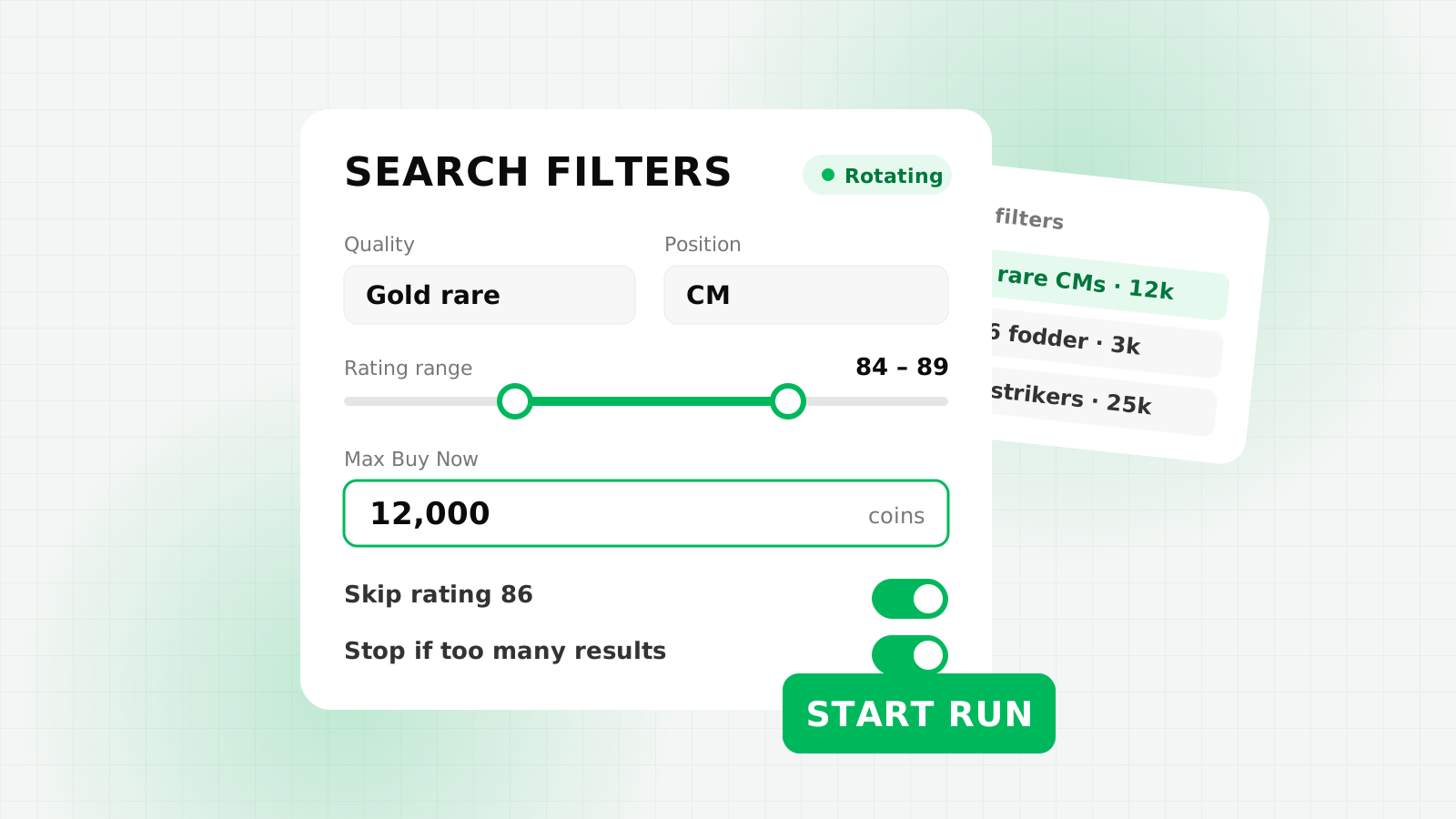
| Several extinct cards to chase | Saved filters with rotation, switching filter every set number of searches |
| Overpaying for hype | Under my max price buy mode, plus a hard per-card limit and run budget checked before every buy |
| Missing the moment | Sounds, desktop notifications and Discord or custom webhooks when a card is bought |
| Watching the tab all day | Headless mode hides the panel and keeps running in a background tab |
A few settings are worth singling out for extinct cards:
- Under my max price. This buy mode buys any listing at or under your Max Buy Now, which suits a card that rarely appears. Set 50,000, and a listing at 49,000 is bought while one at 60,000 is ignored.
- Per-card limit and run budget. Set the per-card limit to what you'd genuinely pay, and a run budget such as 100,000 if you only want two copies at most. The bot refuses to start if your filter allows prices above the per-card limit.
- Stop if more than X cards. If one search suddenly shows lots of cards at or under your price, the card probably isn't extinct any more and the price may be dropping. The bot stops instead of buying them all, so you can check the price again.
- Rotation. Chasing three cards? Save a filter for each and rotate between them. Each filter is then searched less often, so rotate fewer filters when one card matters most.
- Alerts. Add a Discord webhook and you get a message the moment a card is bought, plus a note if the bot stops because of a captcha or another problem.
The usual safeguards still apply: automatic breaks, run limits, and auto-stops on a captcha, soft ban, expired session or not enough coins. Long runs chasing a single card still add up to a lot of searches, so keep breaks switched on.
Keep your expectations realistic
An autobuyer can only buy what's listed. Nothing guarantees an extinct card appears during your run, and when one does, other buyers are racing for it too, so you won't win every listing. What you can control is your filter, your price and how long you're prepared to keep searching sensibly.
If you're weighing up trading against other ways of topping up your club, our comparison of buying FC coins vs an autobuyer covers cost, control and risk.
FAQs
An extinct card has no, or almost no, listings on the transfer market, so searches come back empty and price tools cannot show a reliable price. It usually lasts until supply rises or demand falls.
Base your limit on comparable cards and the price the card showed before it went extinct, then decide the most you would pay. Early listings can sit near the top of the card's price range, and you do not have to buy them.
The Web App can show the same results again for an identical search. Change the minimum bid or minimum Buy Now price by one step between searches to get fresh results.
No. An autobuyer can only buy cards that are listed. Nothing guarantees a listing appears during your run or that you win it against other buyers.
Yes. It searches one filter at a time, but you can save a filter for each card and rotate between them every set number of searches.