Search for the best EA FC autobuyer and you'll find bold claims you can't check. We make an autobuyer, so we're not neutral. What we can do is share the checklist we'd use ourselves and show where FC AutoBuyer stands on each point, so you can hold any tool, ours included, to the same standard.
What makes the best EA FC autobuyer? How to choose
An autobuyer for EA SPORTS FC Ultimate Team has a simple job: search the transfer market over and over and buy cards that match your filter at or under your price. If that's new to you, start with how an autobuyer works. Doing that job well comes down to five things:
- Speed, which mostly depends on where the tool runs.
- Hard spending limits that can't be skipped.
- Auto-stops and pacing that react when the market pushes back.
- Customisation, alerts and records so you stay in control.
- Honest pricing, risk disclosure and support from the people behind it.
1. Speed comes from where it runs
When an underpriced card is listed, several buyers often try for it at once, and the first request wins. So speed matters, but a big number on a sales page tells you little. Ask instead: where does the autobuyer actually run?
Some tools work through a separate app sitting between you and the market. A browser extension works inside the Ultimate Team Web App itself, with no extra layer. FC AutoBuyer is built as a Chrome extension for exactly that reason, and it's why we say it's faster than app-based autobuyers. The trade-offs are covered in Chrome extension vs app autobuyers.
Speed should also be adjustable, with a warning when you pick something aggressive. FC AutoBuyer warns below 2.5 seconds per search and offers to slow down or cap runs at 15 minutes.
2. Hard spending limits, not suggestions
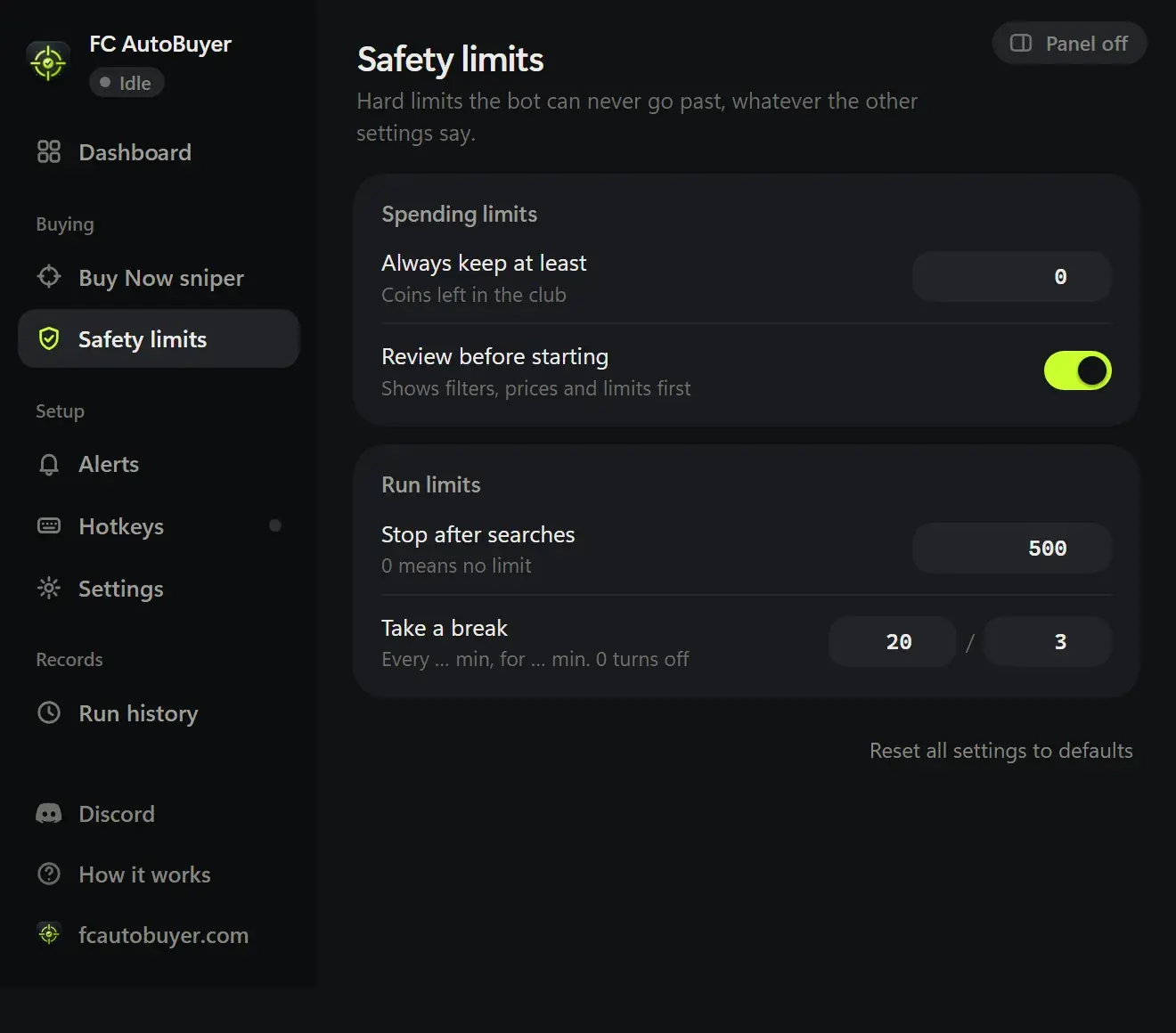
A fast autobuyer with a typo in the price box can drain your coins quickly. The best EA FC autobuyer treats your limits as rules checked every time. Look for:
- a per-card price limit, a run budget and a coins-to-keep limit, each checked right before every buy;
- a refusal to start if your filter allows prices above the per-card limit;
- a stop when one search shows suspiciously many cards at or under your price, which usually means a mistake in the filter;
- a review screen before a run that needs a second click;
- prices and limits that lock while the bot is running.
FC AutoBuyer does all five. As an example, say your per-card limit is 20,000 coins and your filter's Max Buy Now is 25,000: it won't start until you fix one of them.
3. Auto-stops, pacing and breaks
It should stop on its own
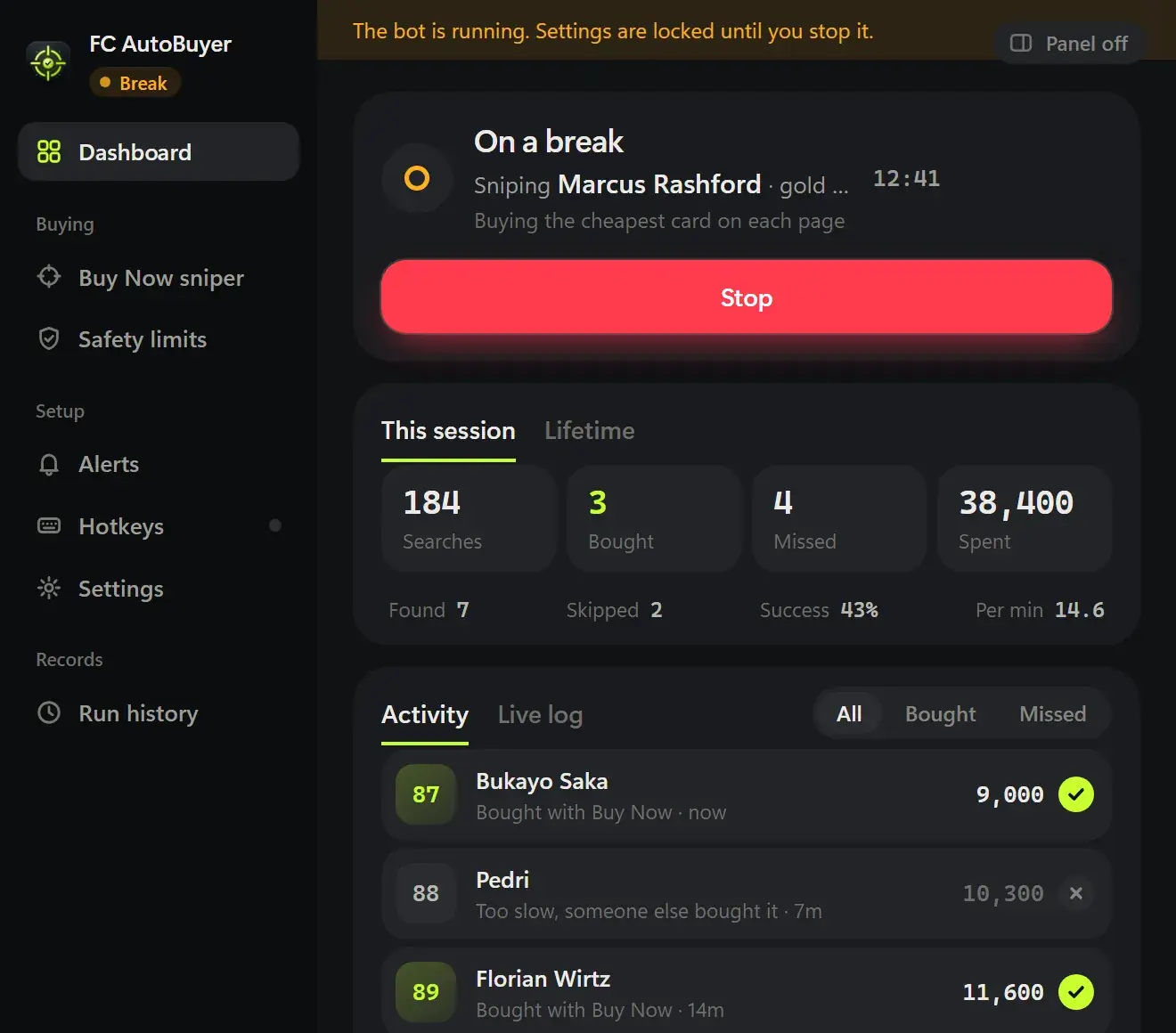
You won't always be watching. A good tool stops by itself on a captcha, a soft ban, an expired session, not enough coins, a run of errors, or any limit you set. FC AutoBuyer stops on all of these and tells you why.
It should pace itself
Hammering the market with identical searches is the quickest way to trouble. Look for randomised search delays, automatic breaks, and caps on purchases, searches and minutes per run. By default, FC AutoBuyer waits a random 3 to 5.5 seconds between searches, and you can schedule breaks such as 3 minutes every 20 minutes. Our guide to the transfer market soft ban explains why this matters.
4. Customisation, alerts and records
Different trading methods need different setups. Check that you can:
- use the Web App's full search filter (quality, rarity, position, league, nation, club) plus a rating range and ratings to skip;
- choose a buy mode, such as anything under your max or only the cheapest card on each page;
- save several filters and rotate between them;
- decide where bought cards go: unassigned, transfer list or club.
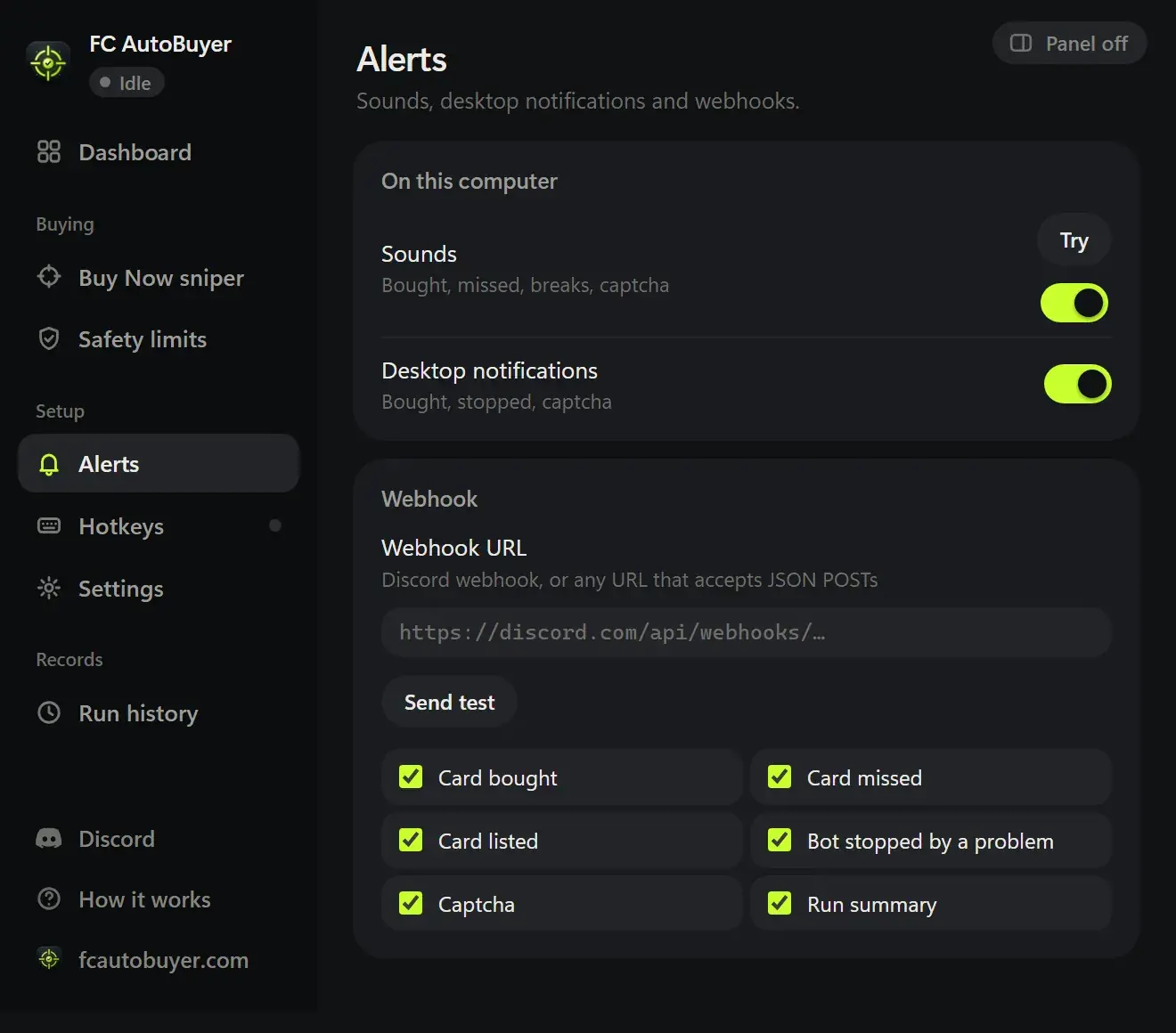
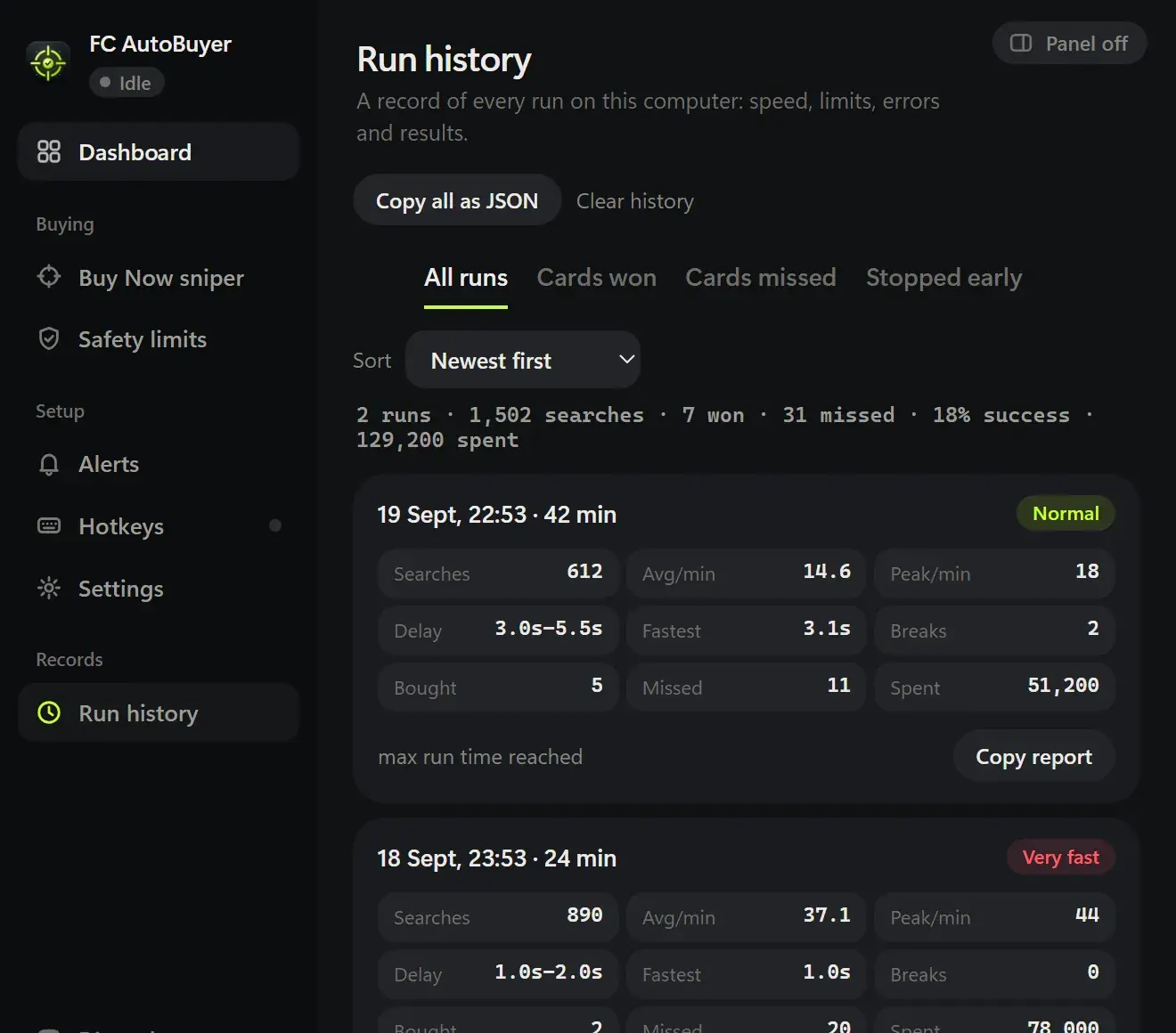
Then check what happens when you step away. FC AutoBuyer offers sounds, desktop notifications and Discord webhooks or custom webhooks, plus run history with speed, errors and results for each run. Hotkeys are off by default, so a stray key press can't buy anything. For setup ideas, see autobuyer filter settings.
5. Honest pricing, risk disclosure and support
Pricing you can read in one line
Be wary of tiers that hold back speed or filters for a premium plan. Check what you'll pay next season, not just on day one, and whether checkout runs through a recognised payment processor. FC AutoBuyer is a one-off licence key from £7.99, with every feature included in both keys.
Risk disclosure that doesn't hide
No autobuyer is "undetectable" or "ban-proof", and any seller who says so is telling you something about how they'll treat you later. Using an autobuyer breaks the EA User Agreement.
Support and updates
EA updates the Web App from time to time, so check how you reach a real person when that happens. FC AutoBuyer has email and Discord support and a built-in compatibility check.
Autobuyer comparison checklist
Use this table with any tool you're considering. The right-hand column shows where FC AutoBuyer stands.
| What to check | FC AutoBuyer |
|---|---|
| Runs inside the Web App, with no separate app layer | Yes, Chrome extension |
| Per-card limit, run budget and coins-to-keep limit checked before every buy | Yes |
| Refuses to start if the filter allows prices over your limit | Yes |
| Review screen before starting; limits lock while running | Yes |
| Stops on captcha, soft ban, expired session or low coins | Yes |
| Randomised delays, breaks and run limits | Yes |
| Warning for very fast search speeds | Yes, under 2.5 seconds |
| Saved filters with rotation | Yes |
| Alerts: notifications and webhooks | Yes, including Discord |
| Run history and a check after Web App updates | Yes |
| One clear price with every feature | From £7.99 |
| Honest about ban risk | Yes, on every page |
| Email and Discord support | Yes |
| Bidding and selling | No, focused on buying |
That last row matters: FC AutoBuyer is a Buy Now sniper and doesn't bid or sell. If you still search for a FIFA autobuyer, everything above applies in the same way.